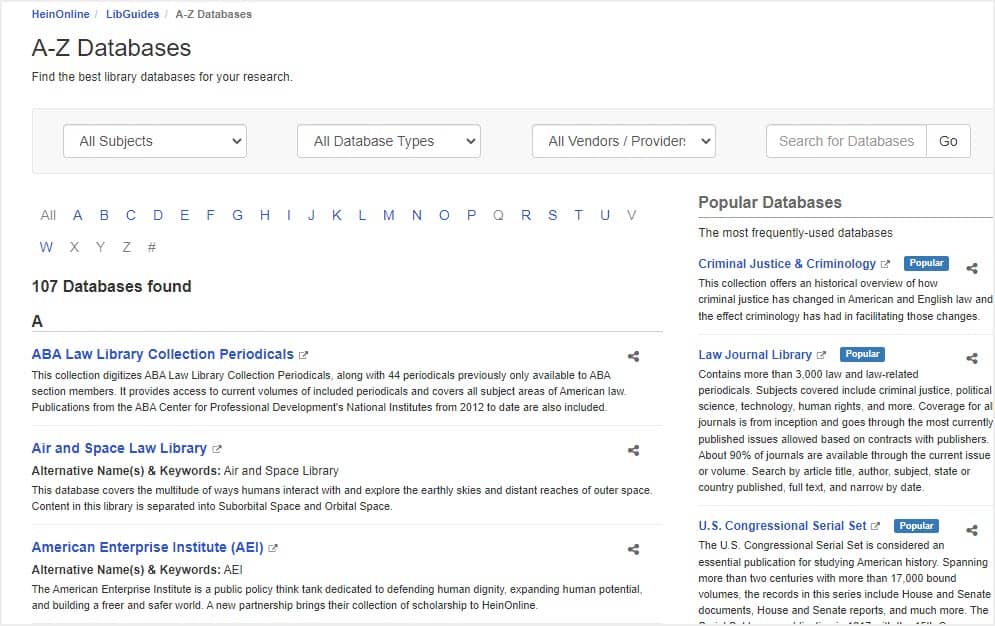
Whether you’re trialing or subscribed to a single HeinOnline database or a package of several databases, don’t forget to add each individual resource to your A-Z database listing for increased discoverability. Follow these steps below:
Log in to your institution’s LibApps and edit your A-Z Database list. Then, select + Add Database.
Choose (or create) HeinOnline as Vendor. Creating a new vendor can be done by an admin-level user.
Enter the name of the HeinOnline database and add a description – Pro Tip: Add an entry for each database name, instead of one entry for “HeinOnline.” See all databases here.
Tag the database as a Trial Resource, and even as a Best Bet for a particular subject – Example:The Criminal Justice & Criminology database would be a “Best Bet” for subjects relating to the criminal justice system.
Enter any other pertinent information and click Save.